GUI
We provide a stand-alone GUI which lets you launch the analysis through a web interface.
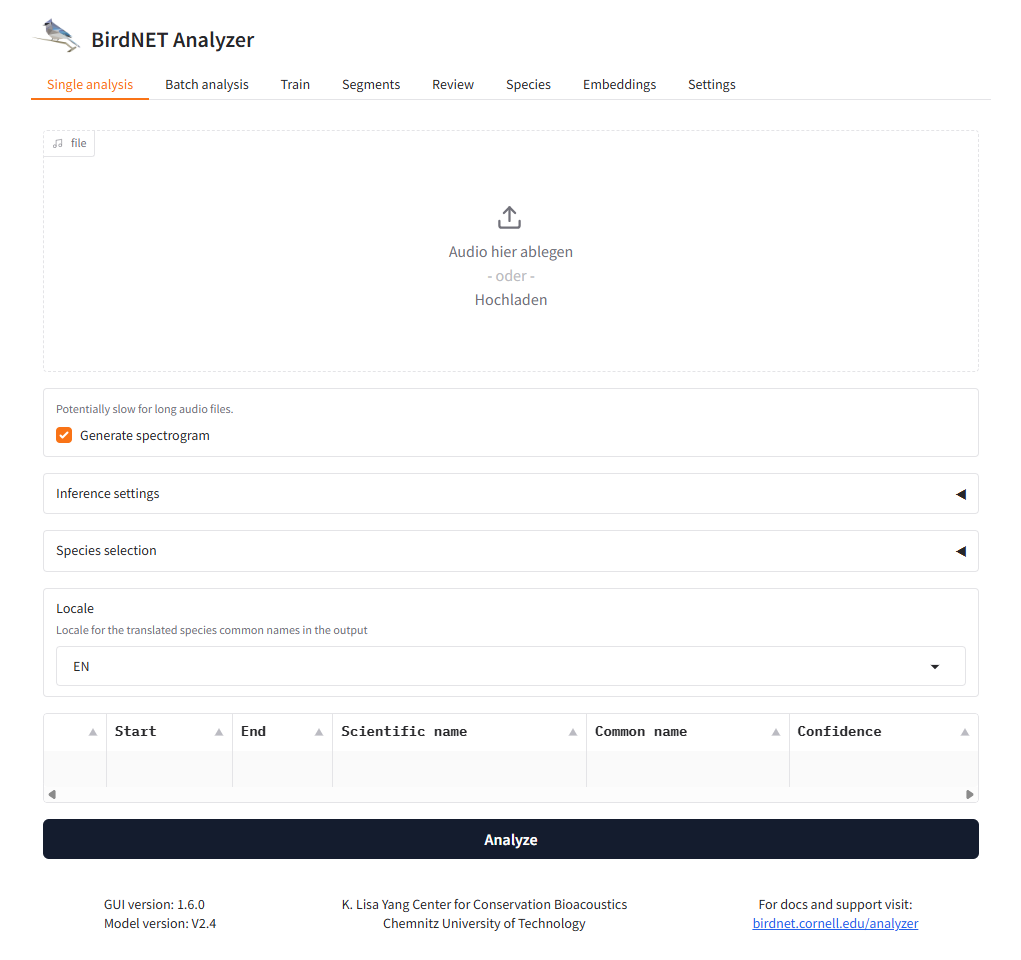
To use the GUI, install the package with the gui extra: pip install "birdnet_analyzer[gui]"
Launch the GUI with birdnet-gui or python -m birdnet_analyzer.gui. On Linux, Download & Setup lists the system libraries the window may need.
Set all folders and parameters, after that, click ‘Analyze’. GUI items represent the command line arguments. For more information about the command line arguments, please refer to the Command line interface documentation.
Alternatively, download the installer to run the GUI on your system.
Pausing and resuming a batch analysis
A running batch analysis can be interrupted with the Pause button — the progress made so far is kept in the output folder. To continue later (even after closing the GUI), select the same input and output folders again: a status line shows how many files were already analyzed and the start button changes to Continue analysis. The same happens after a crash or power loss, since progress is saved continuously while the analysis runs.
Continuing uses the settings currently set in the GUI, not the ones the
interrupted run started with. Settings that affect the detections — the model,
minimum confidence, species list, and so on — must therefore be left unchanged (or
restored by loading the run’s *-params.csv file); if one of them differs, the
saved progress is discarded and the analysis starts over. Output settings such as
the output format or additional columns may be changed freely. See
Resumable Analysis for the details.
Segment review
Please read the paper from Connor M. Wood and Stefan Kahl: Guidelines for appropriate use of BirdNET scores and other detector outputs.
The Review tab in the GUI is an implementation of the workflow described in the paper. It allows you to review the segments that were detected by BirdNET and to verify the segments manually. This can help you to choose an appropriate cut-off threshold for your specific use case.
General workflow:
Use the Segments tab in the GUI or the birdnet_analyzer.segments script to extract short audio segments for species detections.
Open the Review tab in the GUI and select the parent directory containing the directories for all the species you want to review.
Review the segments and manually check “positive” if the segment does contain target species or “negative” if it does not.
For each selected sample the logistic regression curve is fitted and the threshold is calculated.
Log files
The installed application keeps two files that help to find the cause of a problem. Please attach them when you report one on GitHub.
error_log.txtholds the errors, which the Settings tab shows as well.logs.txtholds everything else the application prints. On Linux it is written when the application was started from the applications menu or a file manager; started from a terminal, the application prints there instead.
Both are in %APPDATA%\BirdNET-Analyzer-GUI on Windows, ~/Library/Application Support/BirdNET-Analyzer-GUI on
macOS and ~/.local/share/BirdNET-Analyzer-GUI on Linux. A file that has grown too large is continued in a new one,
and the previous one is kept with .1 added to its name.
GUI Language
The default language of the GUI is English, but you can change it to German, Finnish, French, Indonesian, Brazilian Portuguese, Russian, Swedish, Simplified Chinese or Traditional Chinese in the Settings tab of the GUI.
If you want to contribute a translation to another language you, use the files inside the lang folder as a template.
You can then send us the translated files or create a pull request.
To check your translation, place your file inside the lang folder and start the GUI, your language should now be available in the Settings tab.
After selecting your language, you should restart the GUI to apply the changes.
We thank our collaborators for contributing translations:
Chinese: Sunny Tseng (@Sunny Tseng)
French: @FranciumSoftware
Portuguese: Larissa Sugai (@LSMSugai)
Russian: Александр Цветков (cau@yandex.ru, radio call sign: R1BAF)